Open-ended survey analysis

Open-ended survey analysis you can check, answer by answer

Upload the free-text answers from your last survey as a CSV or Excel file. RawQuotes names what people keep saying, counts it, and opens every insight into the exact answers it was counted from.

The column nobody reads

Rating questions turn into a chart on their own. The open question turns into two hundred rows of text. You read the first forty, remember the angriest one, and the rest stays in the spreadsheet.

What should we improve?

Great morning. After lunch it was two and a half hours straight and I stopped taking anything in.
A ten minute break in the afternoon would have made a big difference.
Checkout said 2–4 business days. It turned up on day 8.

Example data

How RawQuotes reads open-ended responses

1
Upload the file
CSV, Excel or JSON with a header row. Typeform, Tally and Google Forms exports are recognised by their columns. For any other file, you check which column holds the answers.
2
Check the preview
Before anything is saved, you see how many rows are ready, which are skipped and why, and the date range. A form with several open questions goes into a survey with the same questions, one column per question.
3
Read the insights
Each insight is one sentence with a count. Open it and you get the answers behind it, word for word.

A count and the answers behind it

Word for word, nothing shortened or paraphrased, and exactly as many as the count says. Each quote shows the question it answered and its date, so you can check the insight against what people actually wrote.
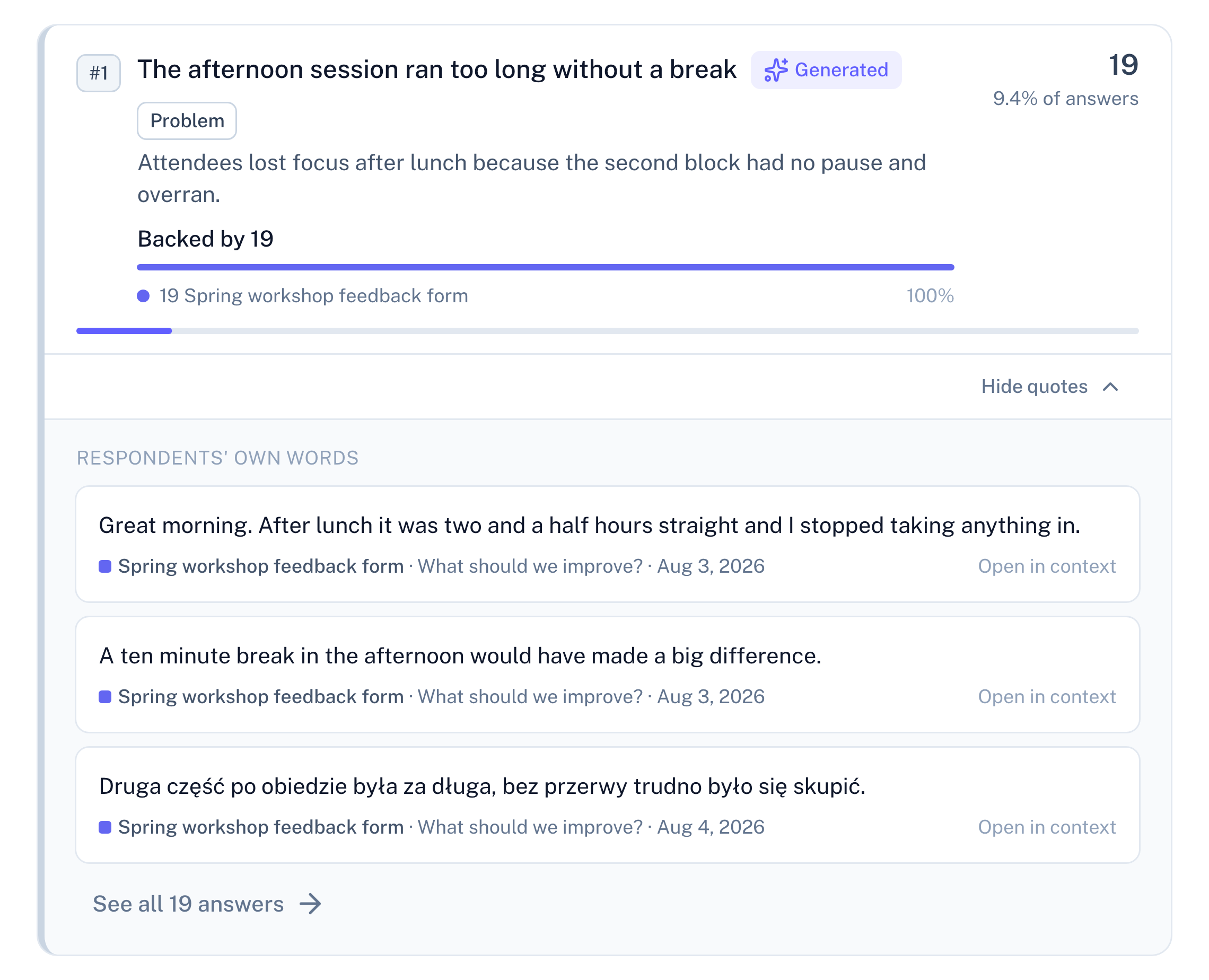
Panel screenshot: the insight "The afternoon session ran too long without a break", labelled Generated and Problem, backed by 19 rows from a workshop feedback form, opened into three verbatim quotes, one of them in Polish, with their dates and a link to see all 19 answers

Example data

Three things it refuses to do

  • Name an insight from four answers
    Under ten complete responses, no insight is named. You see how many you have and how many are missing.
  • Rewrite what people said
    Quotes are word for word. The insight’s name and description are the only generated text, and both are labelled as generated.
  • Pass off an old result as fresh
    If a recalculation fails, you get the last successful result with the date it was calculated.

Where your answers come from

One page per source: how its text gets in, and what comes out.
Google Play reviews
See the page
Typeform responses
See the page
Google Forms responses
See the page
Tally form responses
See the page
Google reviews
See the page
Support e-mails
See the page
App Store reviews
See the page

Already pasting answers into ChatGPT?

See how RawQuotes compares, point by point.

Questions about open-ended survey analysis

Is there a free plan?

Yes. Free includes file import and paste. No card required.

Which files can I upload?

CSV with commas or semicolons, Excel (.xlsx) and JSON, each with a header row.

What counts as one complete response?

One person who finished the survey and answered at least one question that counts toward insights, or one imported row. Ten answers from one person are still one response.

Can I bring answers from more than one survey?

Yes. All sources in a project are read together, and each insight shows how many items came from each one.

Upload the answers you already have.

Free includes file import. No card required.