App Store reviews

Analyze App Store reviews, quote by quote

RawQuotes has no App Store preset and no App Store integration. Copy the reviews from App Store Connect and paste them, or send them through the API, and RawQuotes names what people keep writing about, with the exact reviews under every insight.

One star, one line, a hundred times over

One person says sync loses their notes. Another says the app logs them out every morning. A third writes one word: “crashes”. Reading every review takes an afternoon, and skimming gets you the loudest one, not the most common one.

From App Store Connect to insights in three steps

1
Copy the reviews
In App Store Connect, select your app and click Ratings and Reviews in the sidebar. Reviews are shown per country or region, picked in the menu at the top left; copy the text of the ones you want read.
2
Paste them
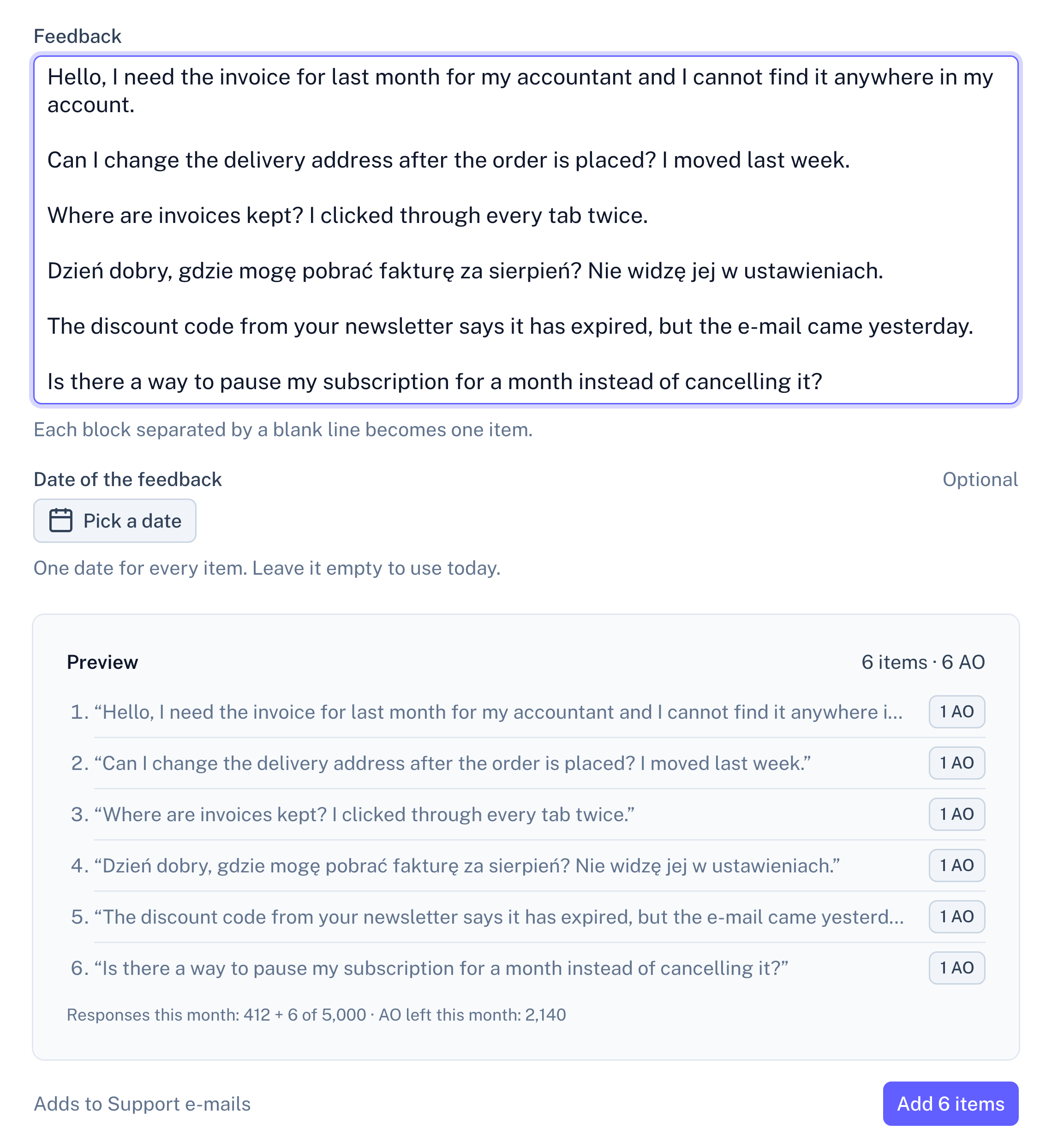
Open Paste text in a source, leave a blank line between two reviews, and give the paste the date of the month the reviews come from.
Panel screenshot of the paste screen for Support e-mails: a text box with six pasted messages, one of them in Polish, an optional date for the whole batch, and a preview listing the six items split on blank lines above an Add 6 items button

Example data

3
Read what repeats
A review under an insight reads exactly as you copied it, with the date you gave the paste.

No App Store preset, no integration

RawQuotes has no preset for App Store reviews and does not connect to App Store Connect. The text comes in by paste or through the API. Each block between blank lines in a paste becomes one review.

The date of the feedback is optional and applies to the whole paste, so paste one month at a time and give it that month’s date. Through the API, each review carries its own date.

Every insight opens into the reviews behind it

A short list of sentences, each naming what reviewers keep coming back to, with the number of reviews behind it. Open one and you read those reviews in the words you pasted.

From here on, every source works the same. All sources in a project feed one set of insights, and each insight shows how many items came from each one. The list under an insight is exactly as long as its count, a month can be compared with the one before, and only the insight’s name and description are written by the model, labelled as generated. How the analysis works
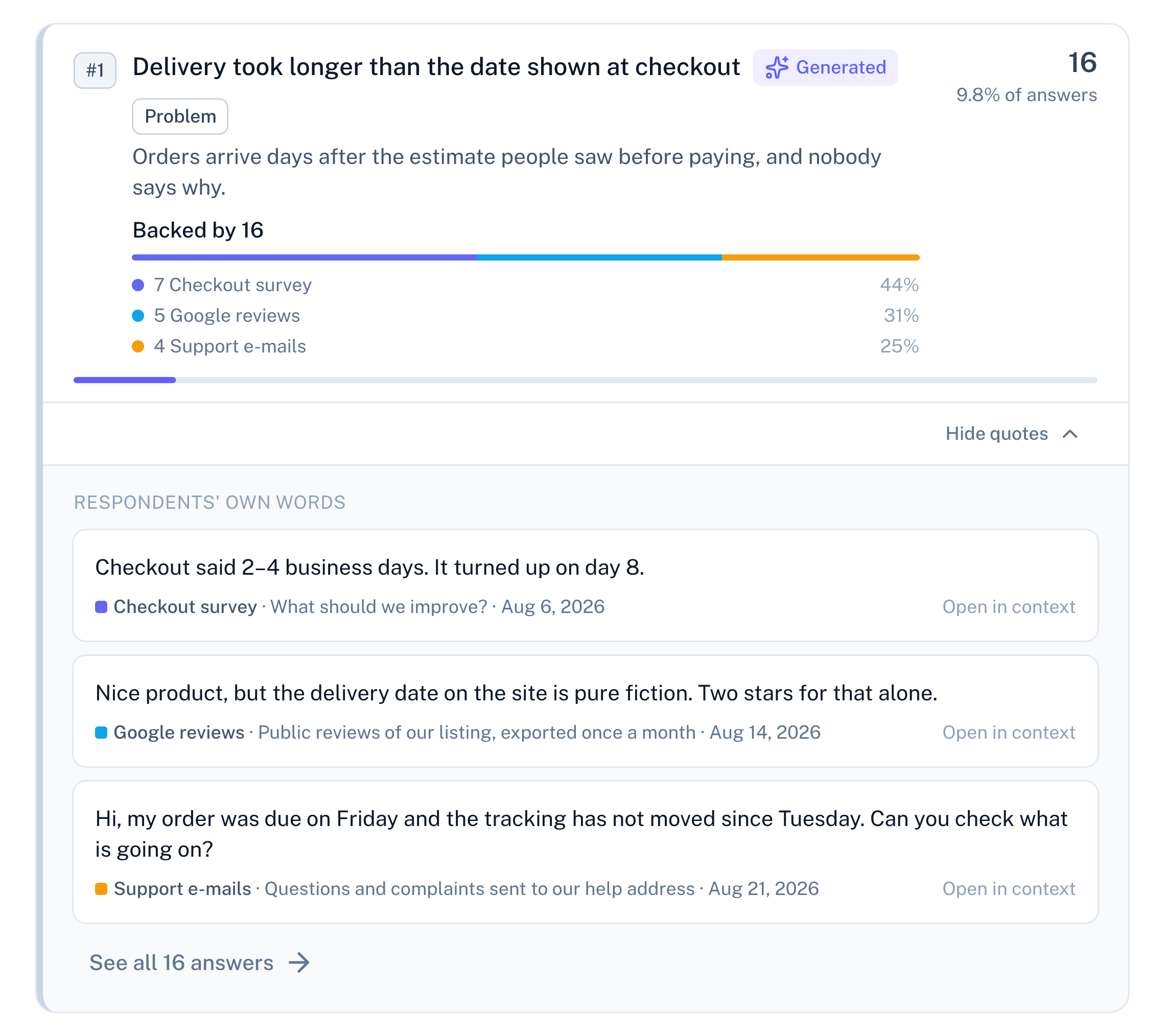
Panel screenshot: the insight "Delivery took longer than the date shown at checkout", labelled Generated and Problem, backed by 16 items: 7 from a checkout survey, 5 Google reviews and 4 support e-mails. It is opened into three verbatim quotes, one from each source. Under each quote are its source, the survey question it answered ("What should we improve?") or the source's description, and its date, followed by a link to see all 16 answers

Example data

Ten pasted reviews before the first insight

Every review you paste or send is one complete response. With fewer than ten in a period, RawQuotes shows the count and what is missing, links to the reviews, and names no insight.
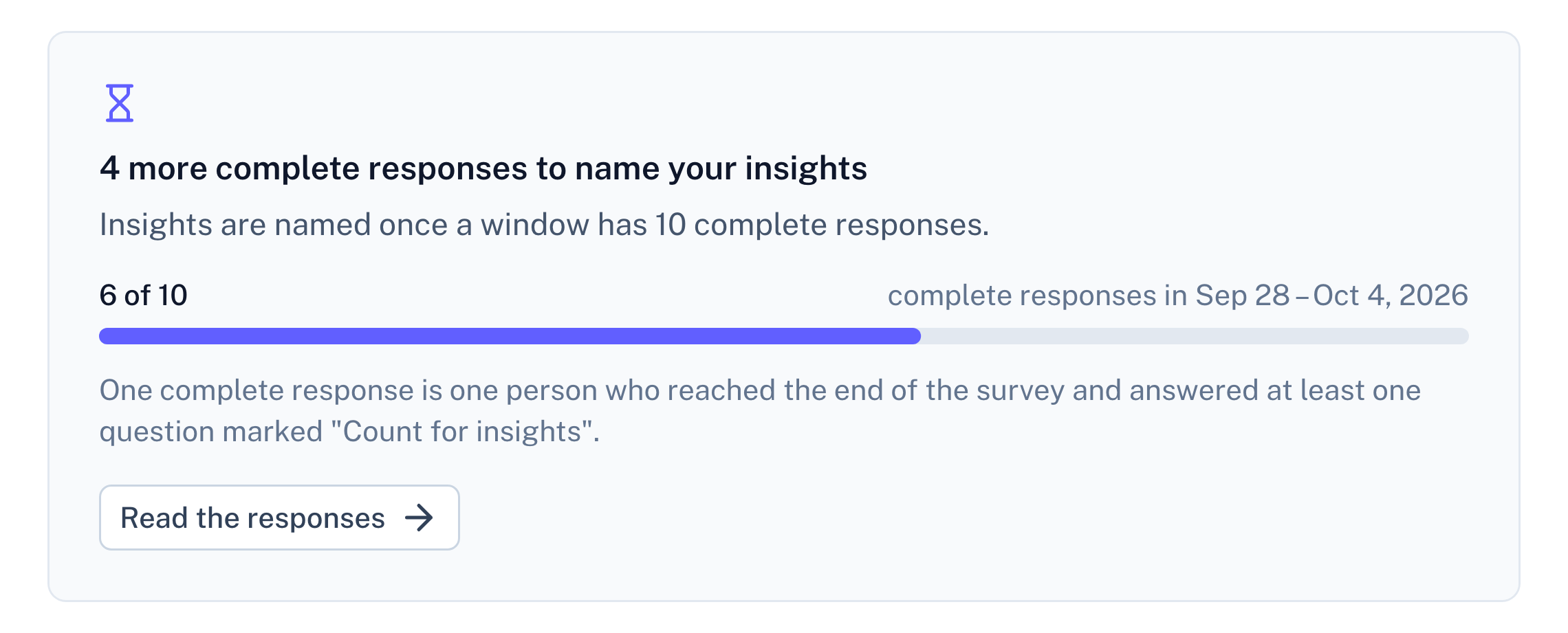
Panel screenshot: a refusal below the threshold of ten complete responses, titled "4 more complete responses to name your insights", with a progress bar at 6 of 10

Example data

Questions about App Store reviews

Does RawQuotes connect to App Store Connect?

No. There is no App Store integration and no App Store preset. You paste the reviews, or send them through the API. Nothing is read from your Apple account.

Is the star rating used?

No. Whatever you paste is the item’s text, so copy the review text itself. The rating is not read.

Can I send App Store reviews without pasting?

Yes, through the API on Basic and Pro. Apple’s App Store Connect API lists an app’s customer reviews with their text and date, so your own code can read them there and send them on. A test call shows what would be added and saves nothing.

Can I read reviews from several countries together?

Yes. Paste each country’s reviews into the same source, or give each country a source of its own and filter the insights by source.

Docs
Paste feedback, step by step
How a paste is split into items, how its date works, and what counts toward your plan.
Read the docs
Pricing
Import and paste are on every plan
Free included. Basic and Pro add the API and recomputing earlier months.
See pricing
Compare
RawQuotes vs ChatGPT
If you paste reviews into a chat today, see what changes.
Compare

Start with last month’s reviews.

Free includes paste. No card required.