Google Forms responses

Analyze Google Forms open-ended responses, quote by quote

Your open questions are where people explain themselves, one row at a time. Download the responses CSV and RawQuotes names what people keep writing about, with the exact answers under every insight.

Two hundred rows, three open questions, nobody past row forty

One person says the afternoon ran too long. Another says there was no break. A third writes a paragraph about the room. Reading every row takes an afternoon, and skimming gets you the loudest answer, not the most common one.

From Google Forms to insights in three steps

1
Download the responses
In Google Forms, open the Responses tab, click More and choose Download responses (.csv).
2
Upload the file
The Google Forms preset recognises the export by its Timestamp column and reads the date from it. Email Address and a quiz’s Score are never guessed as the text; you confirm which question columns are.
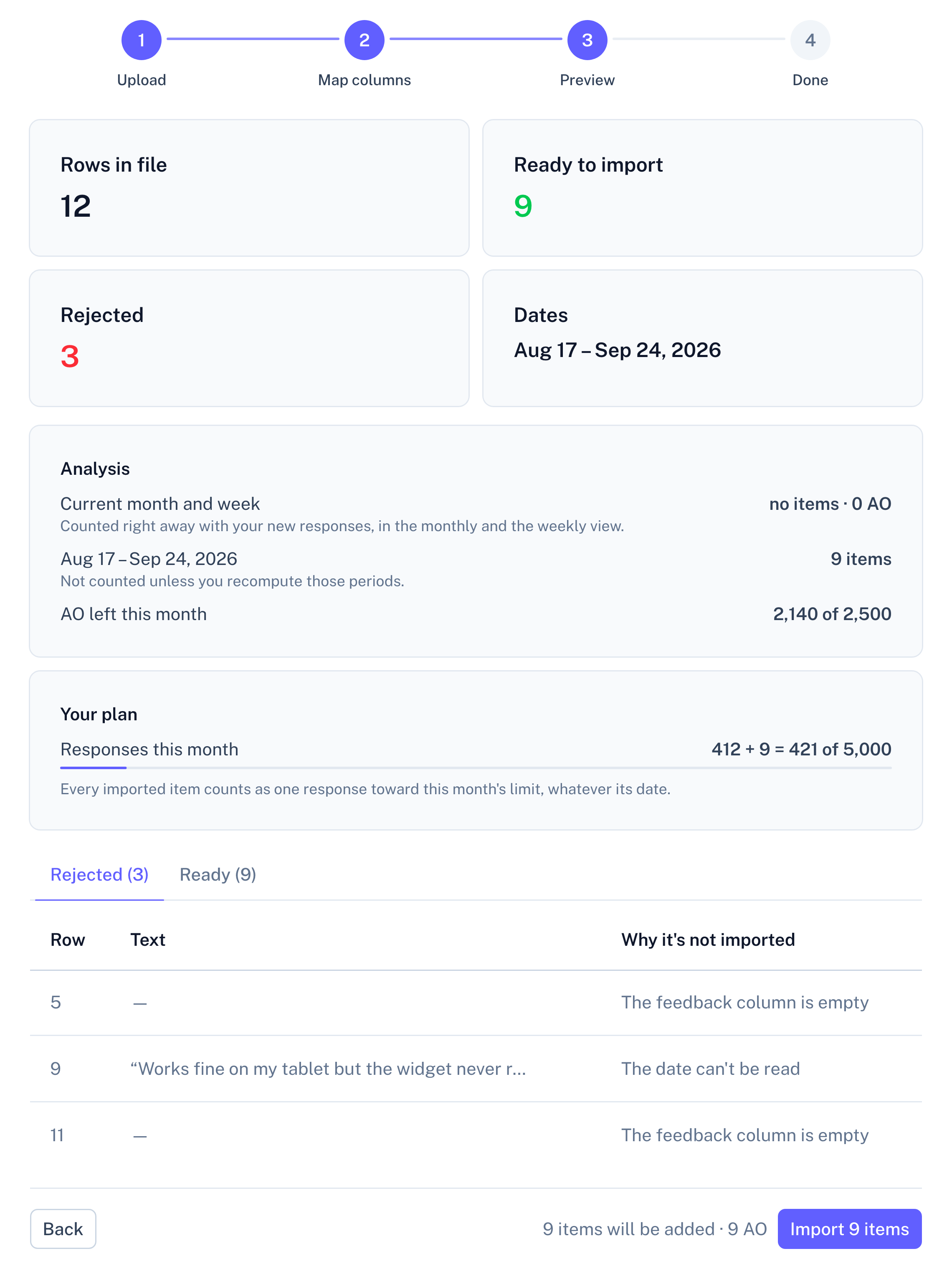
Panel screenshot of the file import preview, step 3 of 4 (Preview): cards showing 12 rows in file, 9 ready to import, 3 rejected and the date range Aug 17 to Sep 24, 2026; an Analysis block and a Your plan block with usage bars; tabs Rejected (3) and Ready (9) with the rejected rows and the reason each is not imported; a Back button and an Import 9 items button

Example data

3
Read what repeats
A quote from a form row keeps its Timestamp as its date, so it is counted in the week and month the form was submitted.

What the Google Forms preset reads

The export is recognised by its Timestamp column, which is also where the date comes from. The text comes from the columns of your questions.
Column in the exportWhat RawQuotes does with it
The columns of your questionsThe text insights are counted from. Imported into a survey, each column goes to the question with the same text or one you pick; imported as a general source, you pick the column, with the longest answers suggested.
TimestampThe date. It decides which week and month the item is counted in.
Every other columnLeft out, including Email Address and a quiz’s Score, unless you map a column to a question yourself.

The Timestamp is read as Google Forms writes it, such as 2026/10/08 9:14:00 AM GMT+2, so the dates need no fixing. In a survey, an optional question someone skipped stays unanswered, and the rest of their row still goes in.

What two hundred rows turn into

A short list of sentences, each naming something people keep writing in your open questions, with the number of answers behind it. Open one and the answers are there in full, instead of cut off in a narrow spreadsheet column.

From here on, every source works the same. All sources in a project feed one set of insights, and each insight shows how many items came from each one. The list under an insight is exactly as long as its count, a month can be compared with the one before, and only the insight’s name and description are written by the model, labelled as generated. How the analysis works
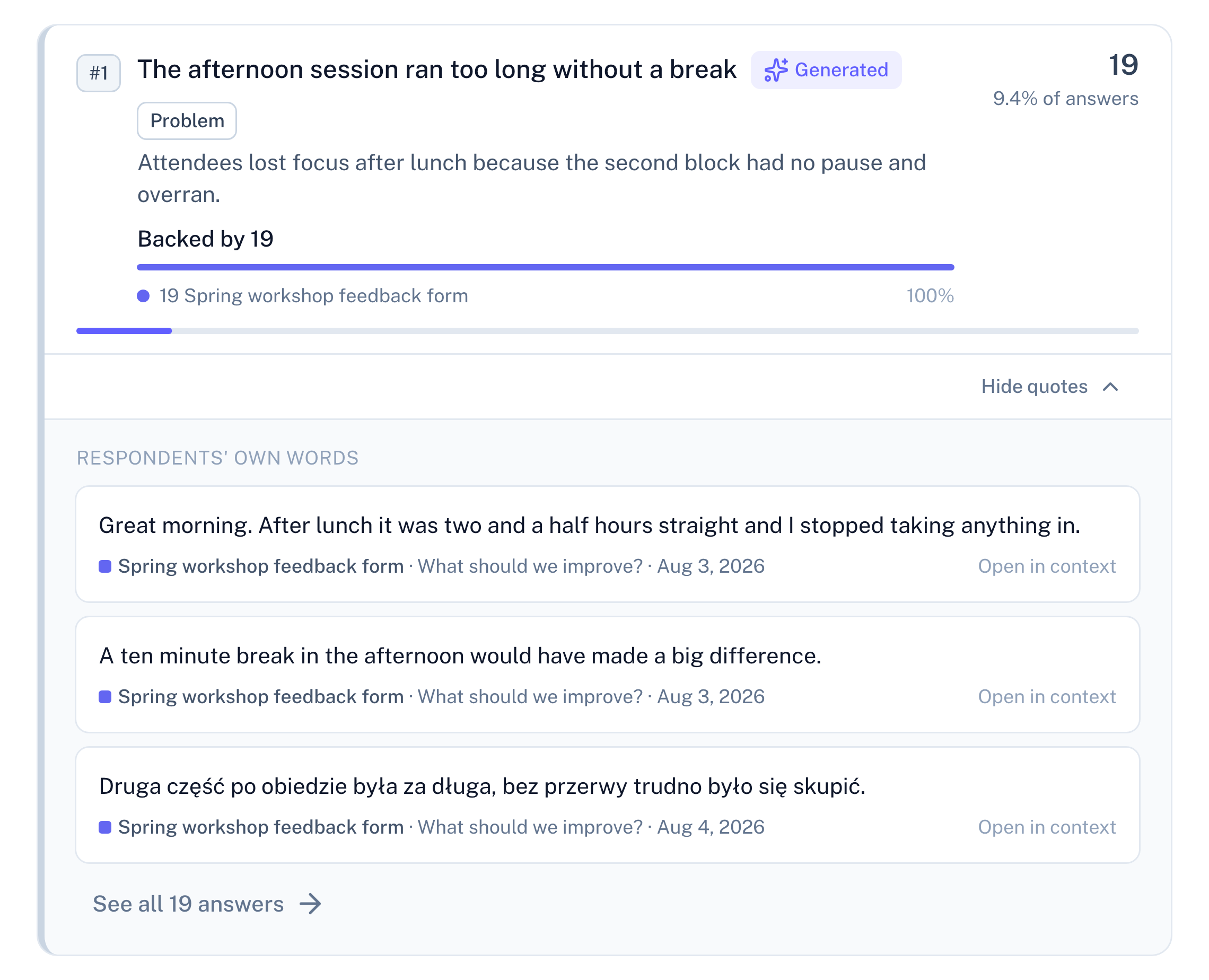
Panel screenshot: the insight "The afternoon session ran too long without a break", labelled Generated and Problem, backed by 19 rows from a workshop feedback form, opened into three verbatim quotes, one of them in Polish, with their dates and a link to see all 19 answers

Example data

Fewer than ten form rows: a count, no insight

Each row of the CSV is one response, however many of your questions it answers. Under ten in a period, RawQuotes names nothing, shows how far you are from ten and links to the rows you have.
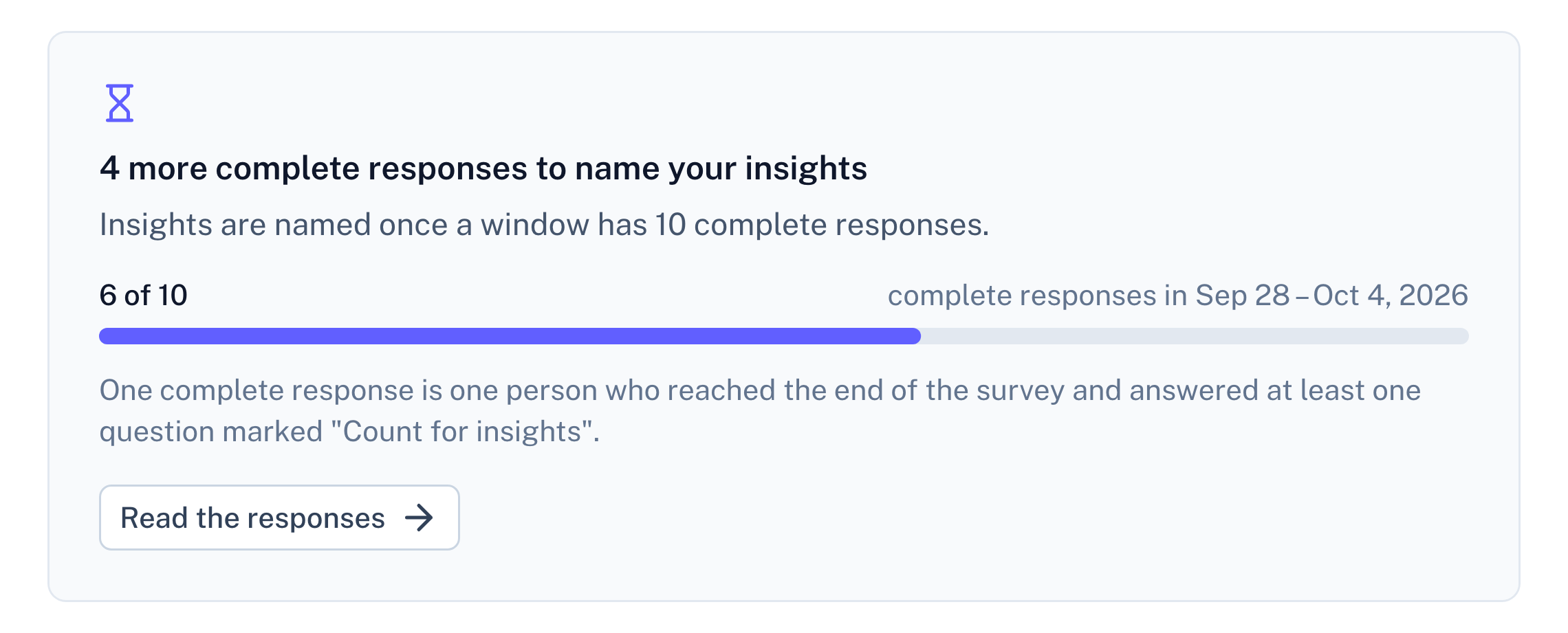
Panel screenshot: a refusal below the threshold of ten complete responses, titled "4 more complete responses to name your insights", with a progress bar at 6 of 10

Example data

Questions about Google Forms responses

Does RawQuotes connect to Google Forms?

No. The CSV you download from the Responses tab is all RawQuotes sees; it never opens your Google Drive.

Gemini in Google Forms can summarize responses. How is this different?

With an eligible Google Workspace or Google AI plan, Gemini summarizes the answers to a text question in Forms. RawQuotes names insights across every source in a project, each one opens into the exact answers it was counted from, and under ten complete responses it names nothing and shows a count instead.

My form is a quiz. Is the score used?

No insight is counted from it. Score, like Email Address, is a column Google Forms adds for itself, and it is never guessed as the text.

Docs
Import a file, step by step
Which files are read, how dates work, and why a row is skipped.
Read the docs
Pricing
Import and paste are on every plan
Free included. Basic and Pro add the API and recomputing earlier months.
See pricing
Compare
RawQuotes vs ChatGPT
Pasting the CSV into a chat instead? See what changes.
Compare

Start with the form that has the most rows.

Free includes file import. No card required.