Typeform responses

Analyze Typeform responses, quote by quote

The open-ended answers are where people tell you why, in their own words. Export the responses, upload the file, and RawQuotes names what people keep writing about, with the exact answers under every insight.

Open-ended responses are the part nobody finishes reading

One person says the price was unclear. Another says they could not tell if it fits a team their size. A third writes a paragraph about one setup step. Reading every answer takes an afternoon, and skimming gets you the loudest one, not the most common one.

From Typeform to insights in three steps

1
Export the responses
In Typeform, open Results → Responses, select all responses and click Export. Choose CSV or XLSX; both can be uploaded. With a filter or a selection on, the file holds only those responses.
2
Upload the file
The Typeform preset recognises the file by Submit Date (UTC) and Network ID. Columns Typeform adds for itself, such as Response Type, Start Date (UTC), Tags and Ending, are never guessed as the text.
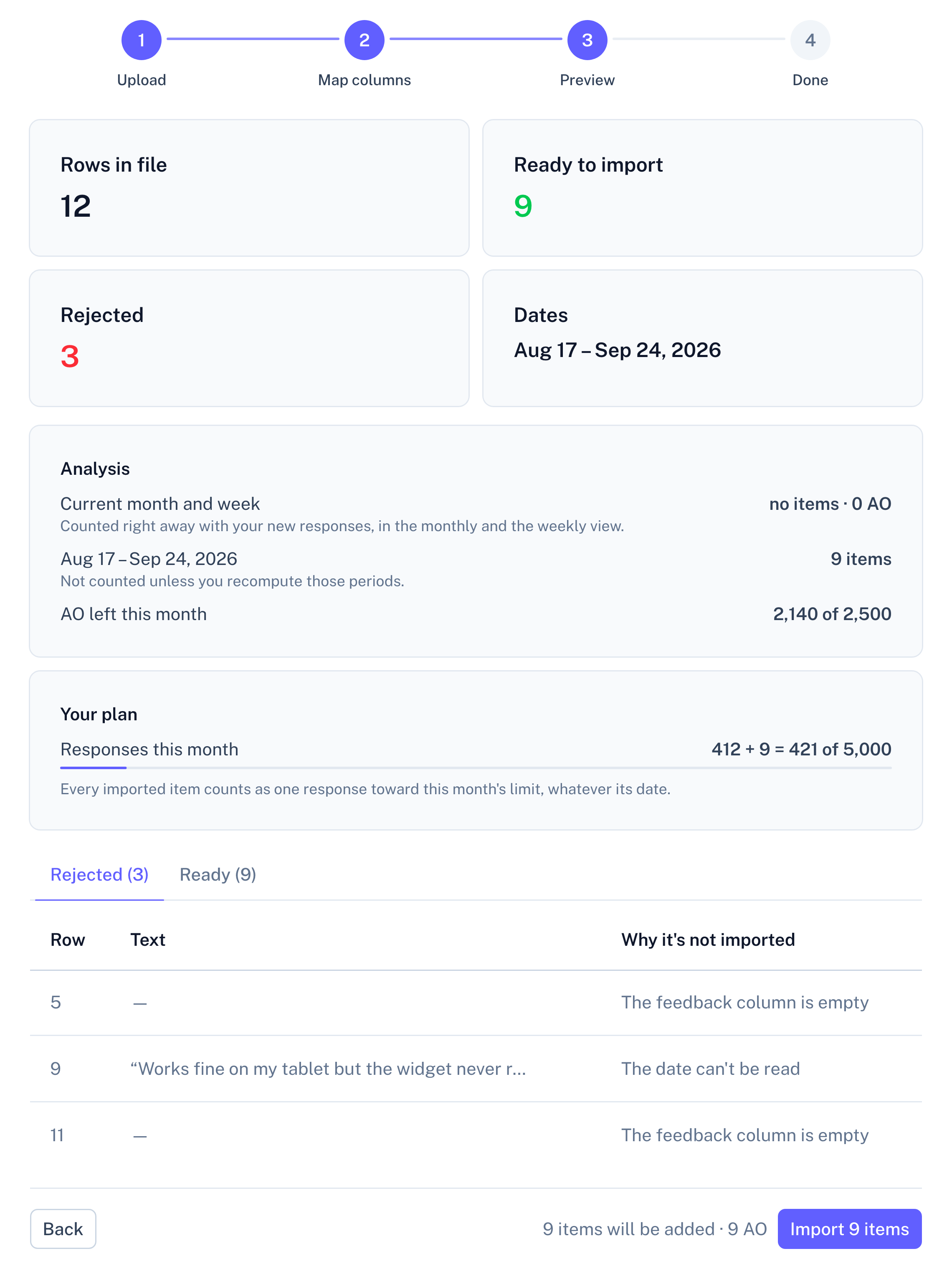
Panel screenshot of the file import preview, step 3 of 4 (Preview): cards showing 12 rows in file, 9 ready to import, 3 rejected and the date range Aug 17 to Sep 24, 2026; an Analysis block and a Your plan block with usage bars; tabs Rejected (3) and Ready (9) with the rejected rows and the reason each is not imported; a Back button and an Import 9 items button

Example data

3
Read what repeats
Imported into a survey, each quote shows the Typeform question it answered, so you can tell which open question an answer came from.

What the Typeform preset reads

The export is recognised by two of its column names. The date comes from the submit date; the text comes from the columns of your questions.
Column in the exportWhat RawQuotes does with it
The columns of your questionsThe text insights are counted from. Imported into a survey, each column goes to the question with the same text or one you pick; imported as a general source, you pick the column, with the longest answers suggested.
Submit Date (UTC)The date. It decides which week and month the item is counted in.
Network IDOnly used to recognise the export.
Every other columnLeft out, including the response ID, start date, tags and ending, unless you map one to a question yourself.

A multiple-choice question that allows several answers comes out as one column per choice, and in a survey all of those columns can fill the same question. Typeform writes a Yes/No answer as 1 or 0, which matches no option label. A column whose header equals the question text is mapped for you, so remove that mapping before you import, or every row with an answer there is rejected.

What your Typeform answers turn into

A short list of sentences, each naming something respondents keep writing, with a count of the answers behind it. Open one to read those answers word for word, with the date each response was submitted.

From here on, every source works the same. All sources in a project feed one set of insights, and each insight shows how many items came from each one. The list under an insight is exactly as long as its count, a month can be compared with the one before, and only the insight’s name and description are written by the model, labelled as generated. How the analysis works
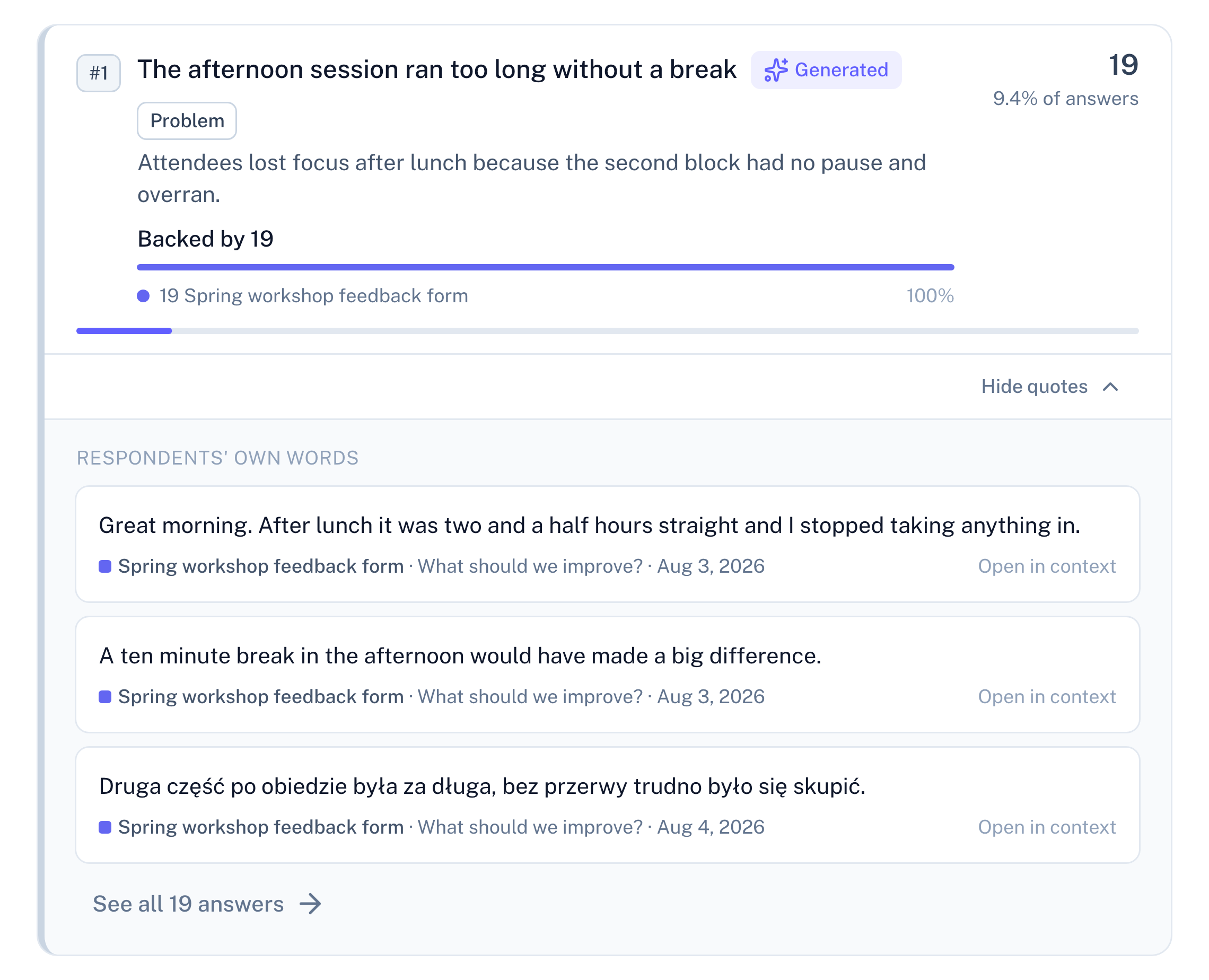
Panel screenshot: the insight "The afternoon session ran too long without a break", labelled Generated and Problem, backed by 19 rows from a workshop feedback form, opened into three verbatim quotes, one of them in Polish, with their dates and a link to see all 19 answers

Example data

Ten responses before the first insight

One row of the export becomes one response, however many questions it answered. Below ten complete responses in a period, RawQuotes shows how many responses you have, how many are missing, and links to them, but names no insight.
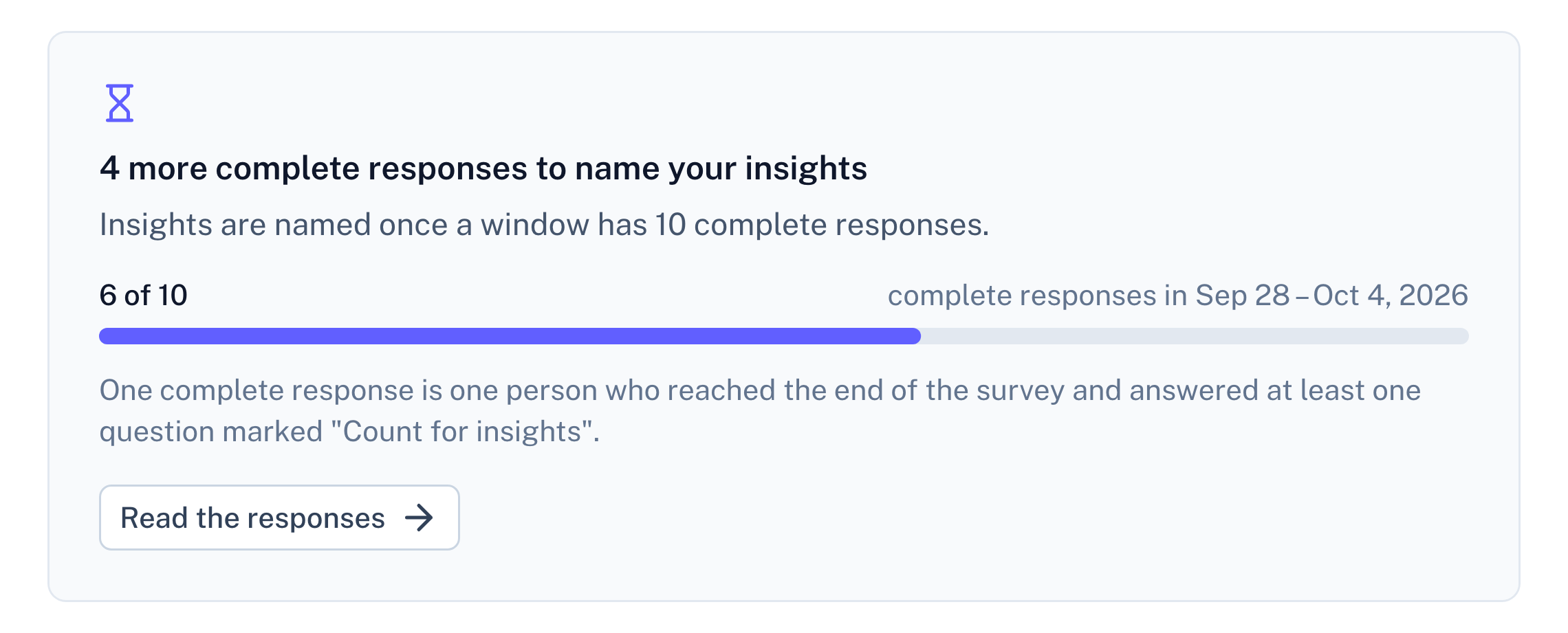
Panel screenshot: a refusal below the threshold of ten complete responses, titled "4 more complete responses to name your insights", with a progress bar at 6 of 10

Example data

Questions about Typeform responses

Does RawQuotes connect to Typeform?

No. You export the responses and upload the file; your Typeform account stays out of it.

Should I export CSV or XLSX?

Either. From an XLSX file only the first sheet is read, and a date Excel stores as a date is read in UTC.

Docs
Import a file, step by step
Which files are read, how dates work, and why a row is skipped.
Read the docs
Pricing
Import and paste are on every plan
Free included. Basic and Pro add the API and recomputing earlier months.
See pricing
Compare
RawQuotes vs ChatGPT
Thinking of pasting the export into a chat? See what changes.
Compare

Start with your last form’s responses.

Free includes file import. No card required.