Survey
A survey on your site
One script tag on any page. People tap one answer, then write one short reason. Answers arrive as people finish, so there is nothing to export.
One script tag on any page. People tap one answer, then write one short reason. Answers arrive as people finish, so there is nothing to export.
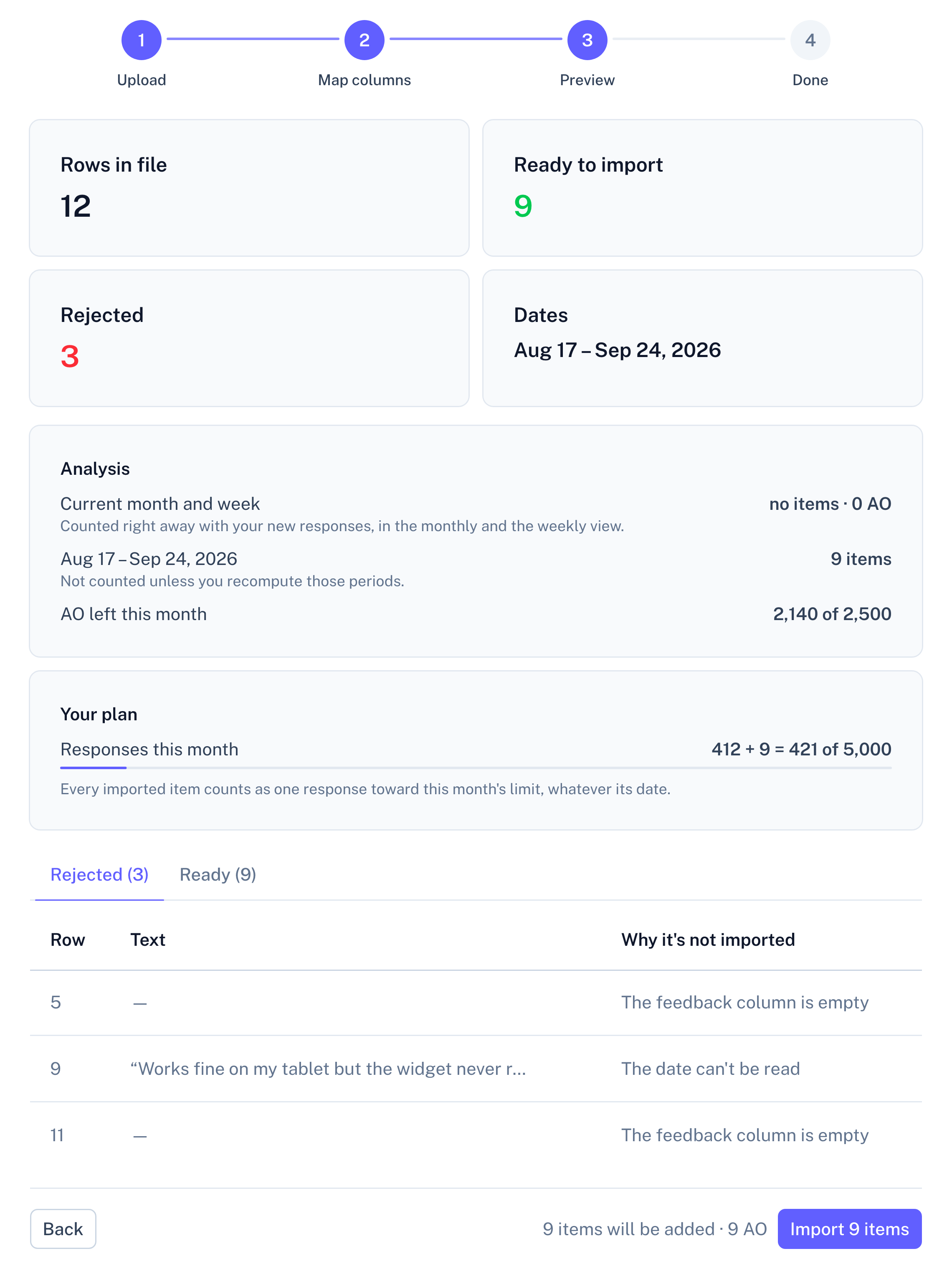
Upload a CSV, Excel or JSON export. Before anything is saved, you see how many rows were read, which were rejected and why, and how many analyzed answers the import will use.
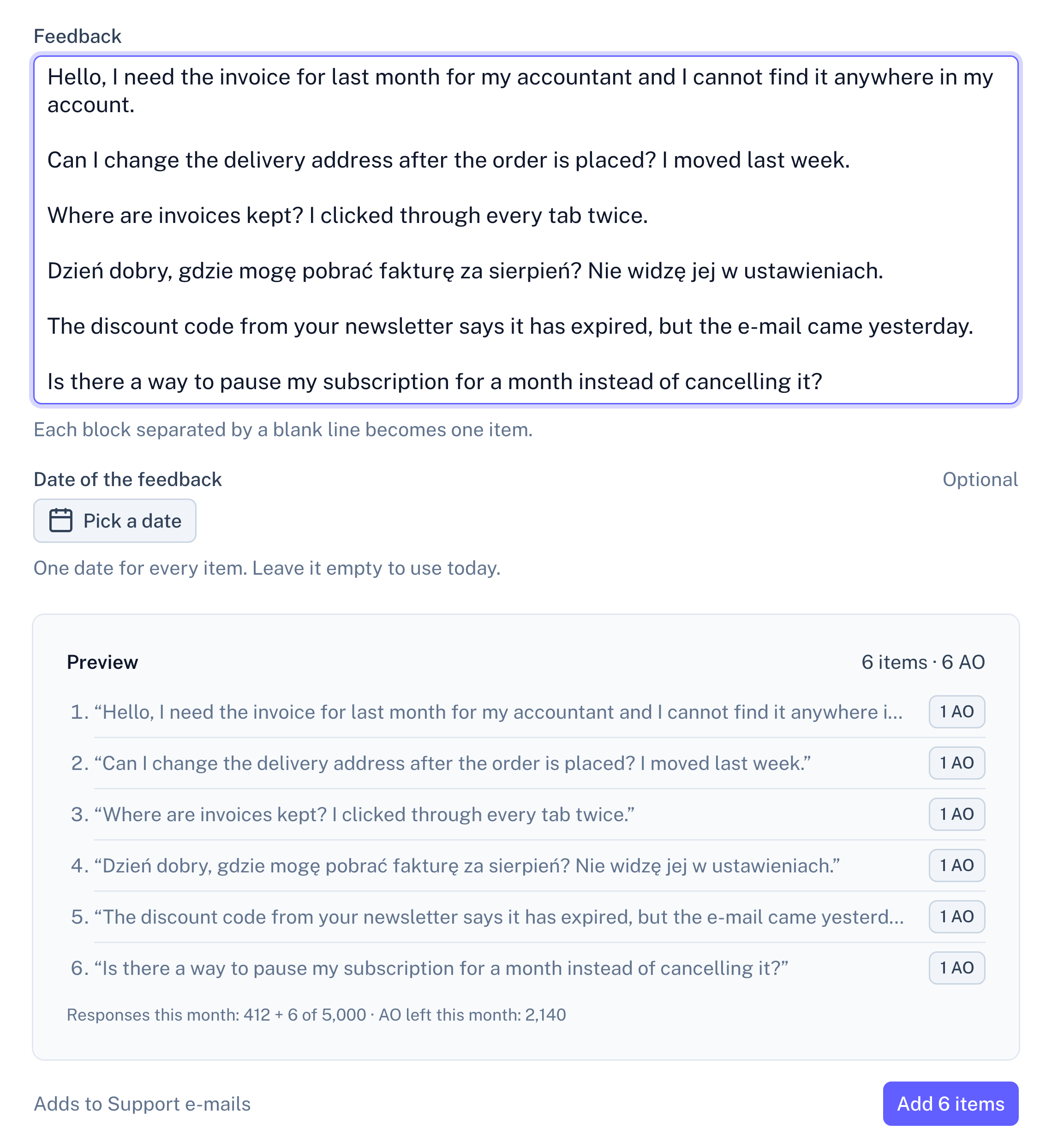
Paste a batch of e-mails, chat transcripts or call notes. A blank line starts a new item. You can give the whole batch one date.
Send items from n8n, Zapier, Make or your own code. A test call shows the same preview as a file import and saves nothing.
Upload the file and the columns are matched for you. You check them before anything is imported.
A form with several open questions goes into a survey with the same questions, one column per question. App Store Connect and Intercom have no export we can read. Send their text through the API, or paste it.
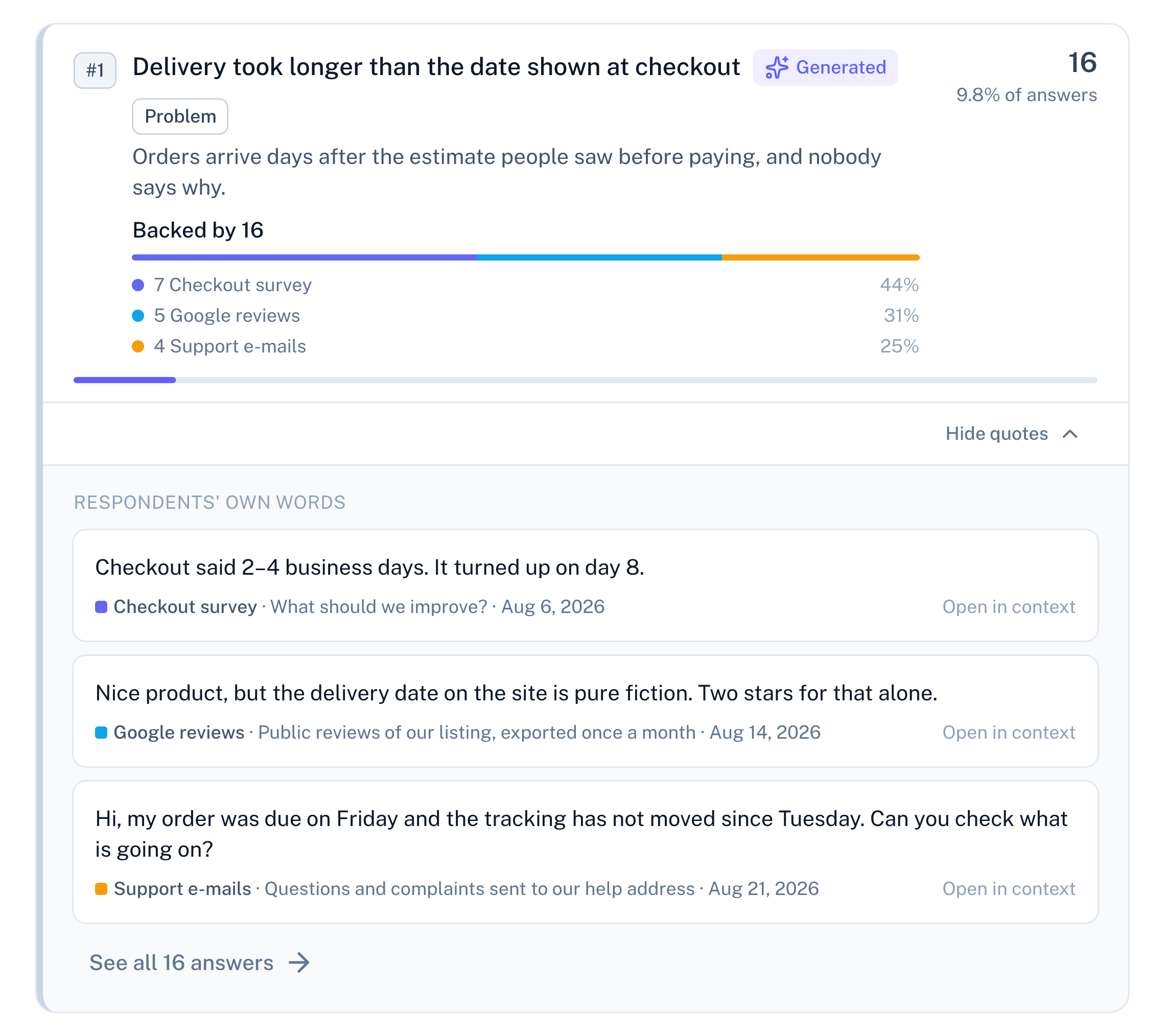
All sources in a project feed one set of insights, grouped by meaning. Each insight shows where its backing comes from, for example "Backed by 23: 12 Onboarding survey, 7 Play reviews, 4 Support e-mails". Pick a source in the filter to see only its share. If fewer than three items come from that source, the insight says "below threshold for this source" instead of a number.
Each item keeps the date it was given. If your file has no dates, the import date is used. Feedback from this week and this month is counted with everything else. Feedback from an earlier month waits until you recompute that month (Basic and Pro). Until then, the month shows how many items it has not counted yet.
Create an API key in Settings.
Add an HTTP request step that sends the text and the date to your source.
Run it once as a test. You see what would be imported, and nothing is saved.
Copy-paste examples for each tool are in the docs. The API is on Basic and Pro.
One item counts as one complete response: one review, one e-mail, one row, the same as one person's finished survey. The ten are counted across every source in the project, per period.
No. A project can hold only imported feedback, and you can add a survey later if you want one.
Yes, the same way as survey answers. E-mail addresses, phone numbers, IBANs and similar details are replaced before any text reaches our AI provider. Masking is best-effort and names are not masked, so a support e-mail that starts with "Hi Anna" keeps the name.