Use cases

People already tell you why. Here is where.

Ask at the moment it happens, or read what they already wrote. You get insights grouped by meaning, with the exact words under each one, and nothing named before ten complete responses.
After a sign-up

Learn what almost stopped them

Your analytics count sign-ups. They don't tell you what nearly made someone close the form.

What you ask

A small card on the first screen after sign-up:

  1. One tap

    What almost stopped you from signing up?

    • The price
    • Not sure it fits
    • Setup looked long
    • Something else
  2. Then

    What would have made it easier?

What you get back
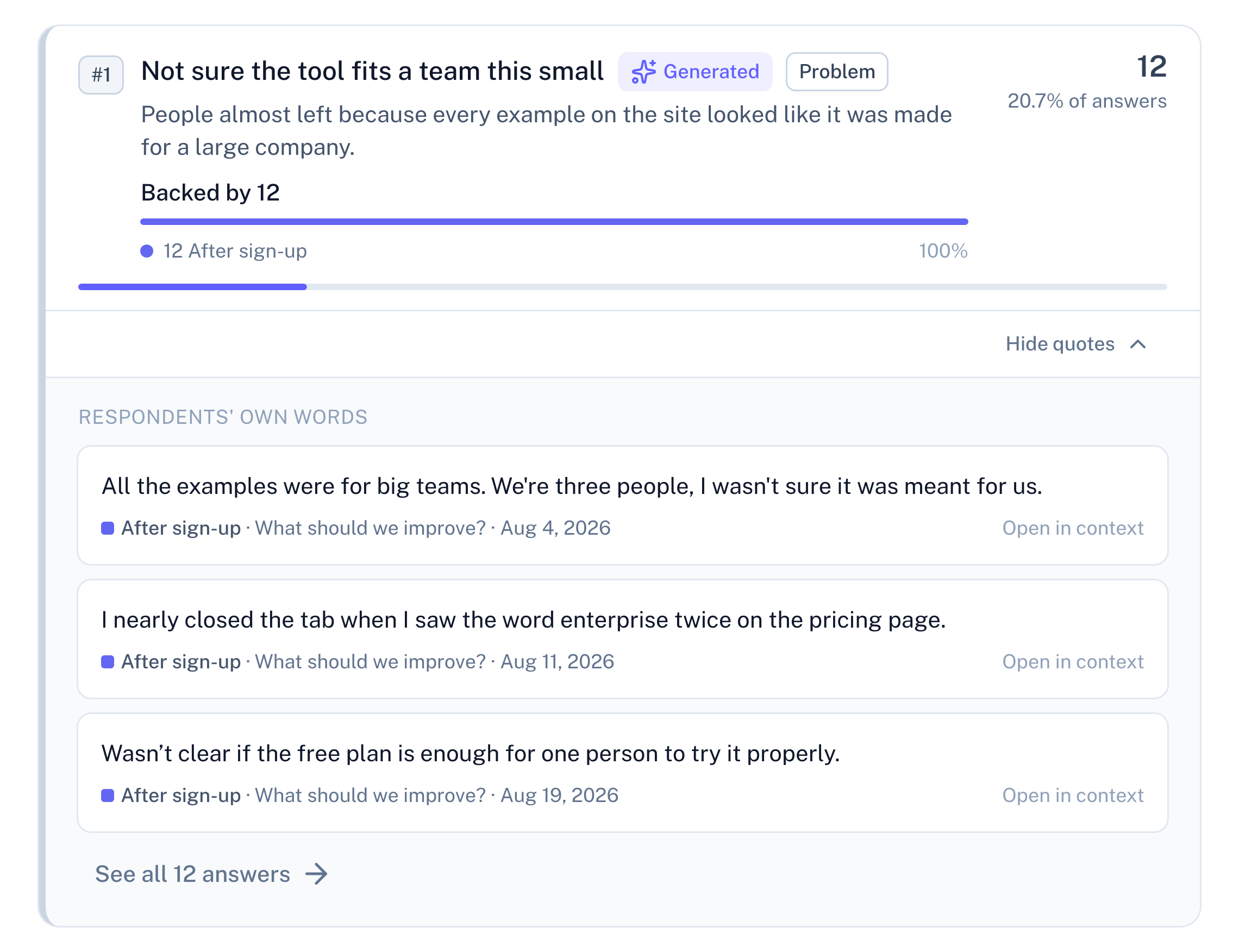
Panel screenshot: the insight "Not sure the tool fits a team this small", labelled Generated and Problem, backed by 12 answers from the after-sign-up survey, opened into three verbatim quotes with their dates and a link to see all 12 answers
A form you already ran

Read all two hundred rows

You sent a Google Form after the last event or course. Two hundred rows, three open questions, and nobody read past row forty.

What you bring

The Google Forms export, imported into a survey with the same three questions. Each column lands on its own question.

What you get back

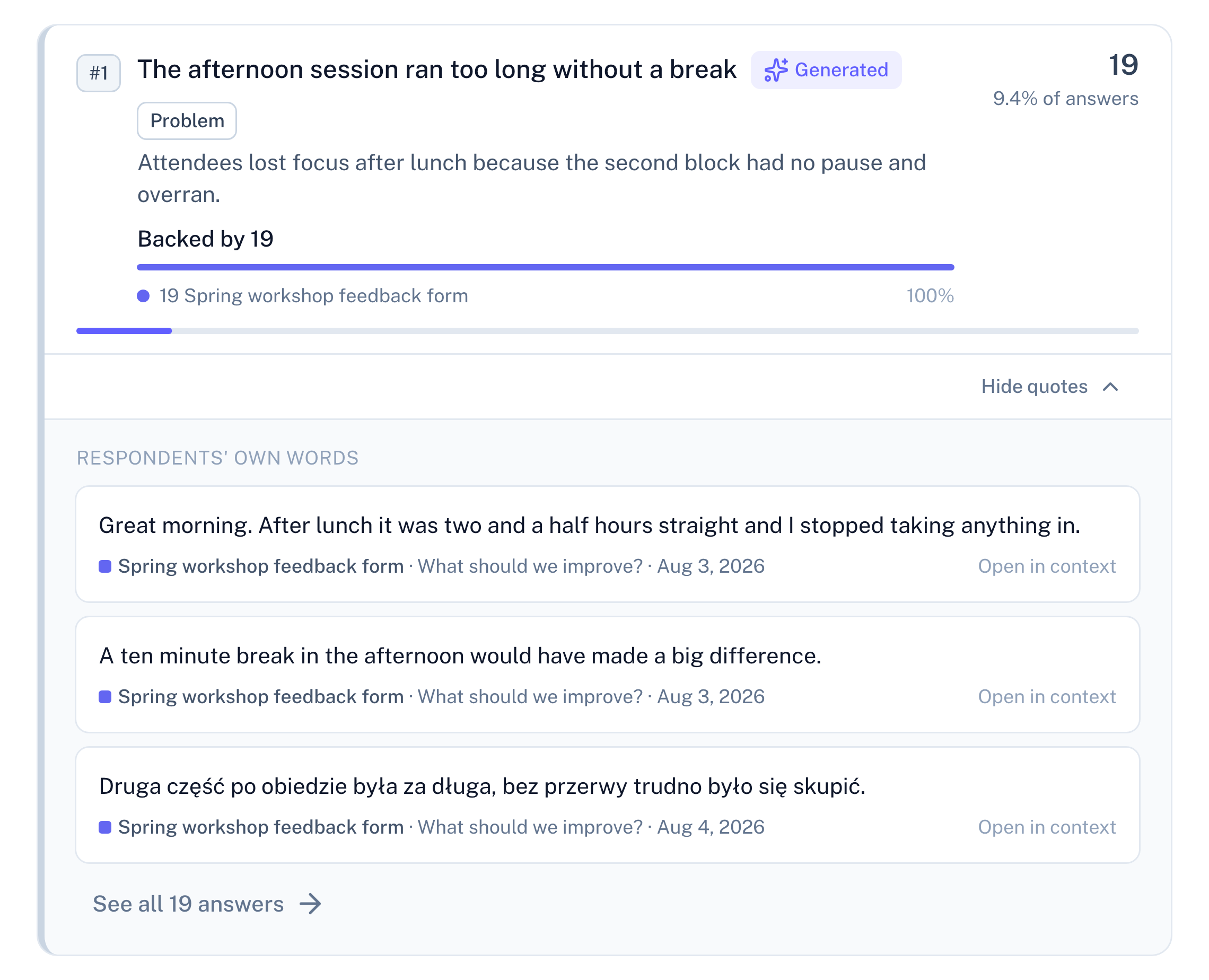
Panel screenshot: the insight "The afternoon session ran too long without a break", labelled Generated and Problem, backed by 19 rows from a workshop feedback form, opened into three verbatim quotes, one of them in Polish, with their dates and a link to see all 19 answers
Your app's reviews

Read why the rating dropped

Your rating shows how many people are unhappy. The review text says why, and it is already in Play Console.

What you bring

The reviews export from Play Console. The Google Play preset matches the columns.

What you get back

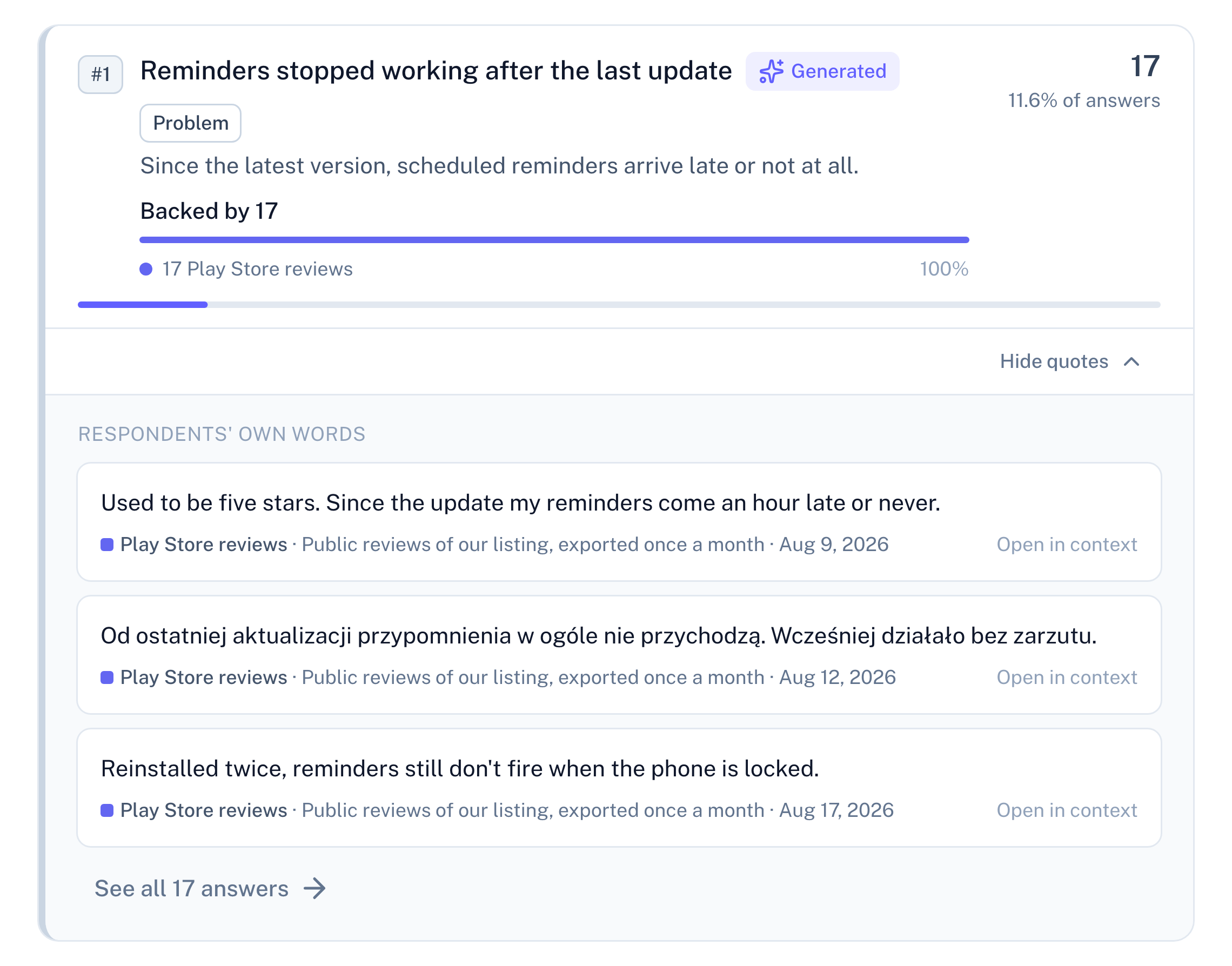
Panel screenshot: the insight "Reminders stopped working after the last update", labelled Generated and Problem, backed by 17 Play Store reviews, opened into three verbatim quotes with their dates and a link to see all 17 answers
Your support inbox

See which questions keep coming back

Every ticket is a question your product didn't answer.

What you bring

Last month's e-mails, pasted in one go. On Basic and Pro, send each new one from n8n, Zapier or Make.

What you get back

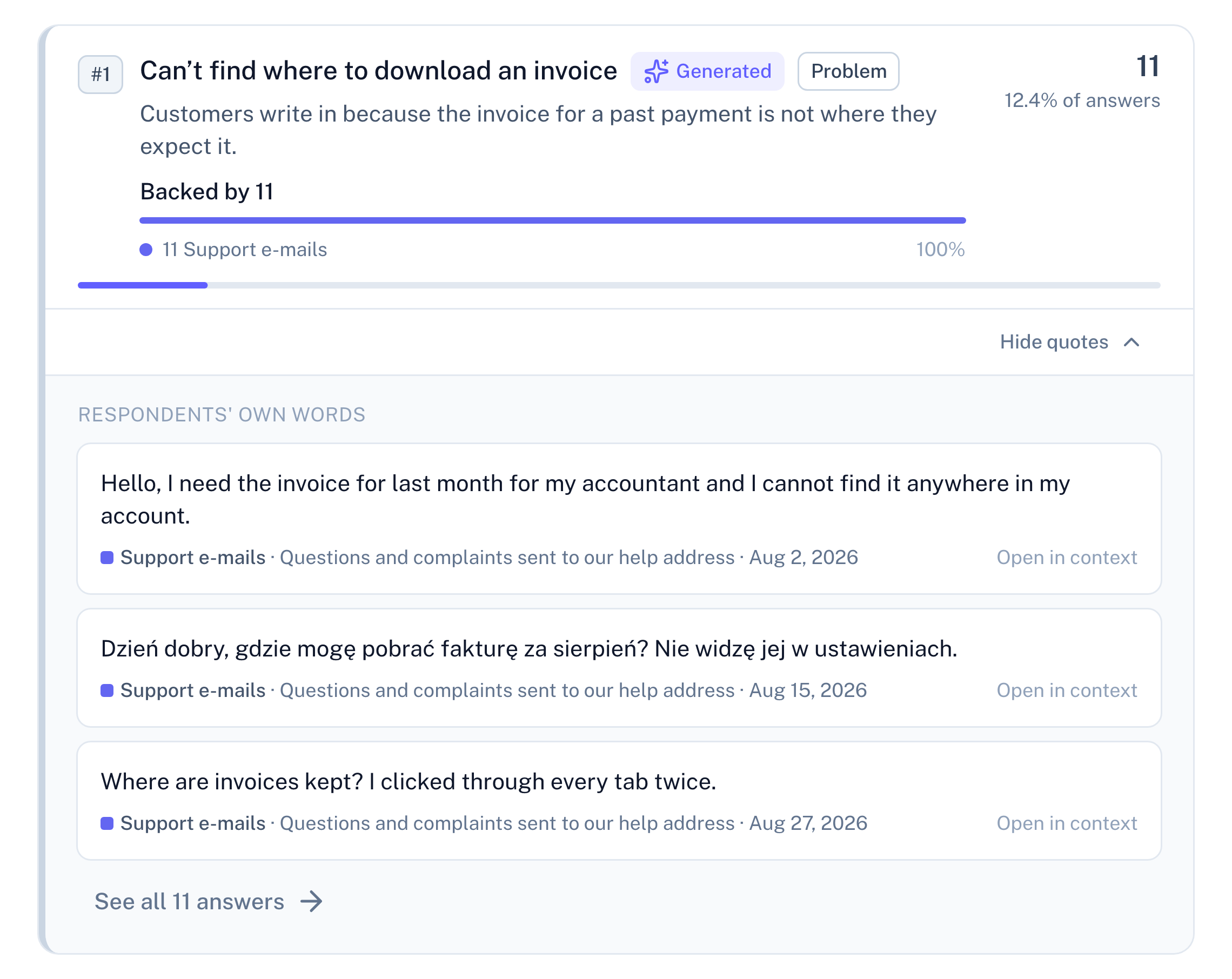
Panel screenshot: the insight "Can’t find where to download an invoice", labelled Generated and Problem, backed by 11 support e-mails, opened into three verbatim quotes with their dates and a link to see all 11 answers

If you run an online shop

Ask on the product page, in the cart, or on the returns page. The examples below show what to ask and what comes back.

The product page

Learn what the page doesn't answer

Most visitors read a product page and never add to cart. Whatever they were looking for, it wasn't there.

What you ask

A small card in the corner of your product pages:

  1. One tap

    Anything you couldn't find on this page?

    • Size or fit
    • Materials
    • Delivery time
    • Better photos
    • Something else
  2. Then

    What did you want to know?

What you get back

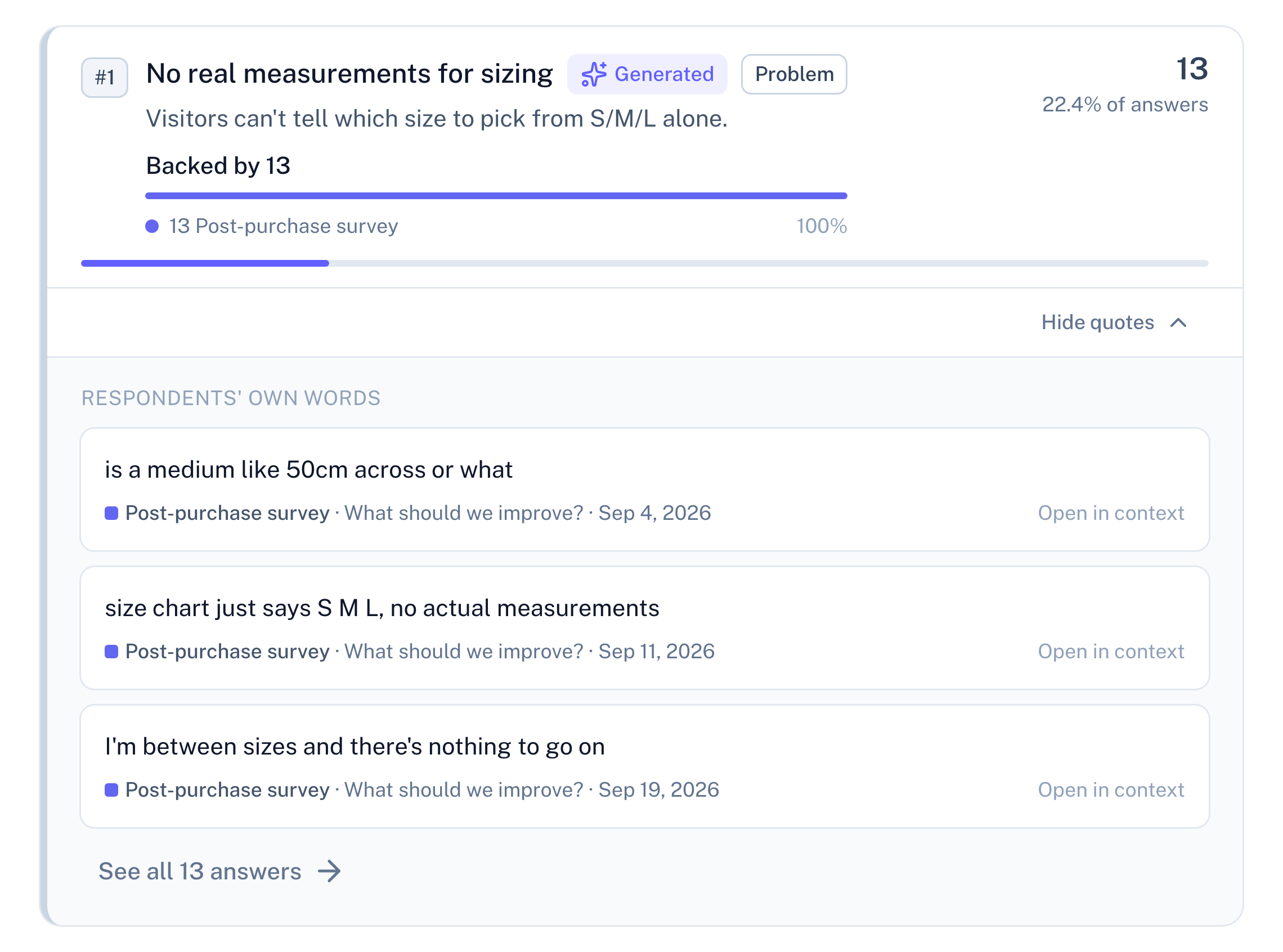
Panel screenshot: the insight "No real measurements for sizing", labelled Generated and Problem, counted in 13 answers, opened into three verbatim quotes with their dates and a link to see all 13 answers
The cart page

Find out what stops the order

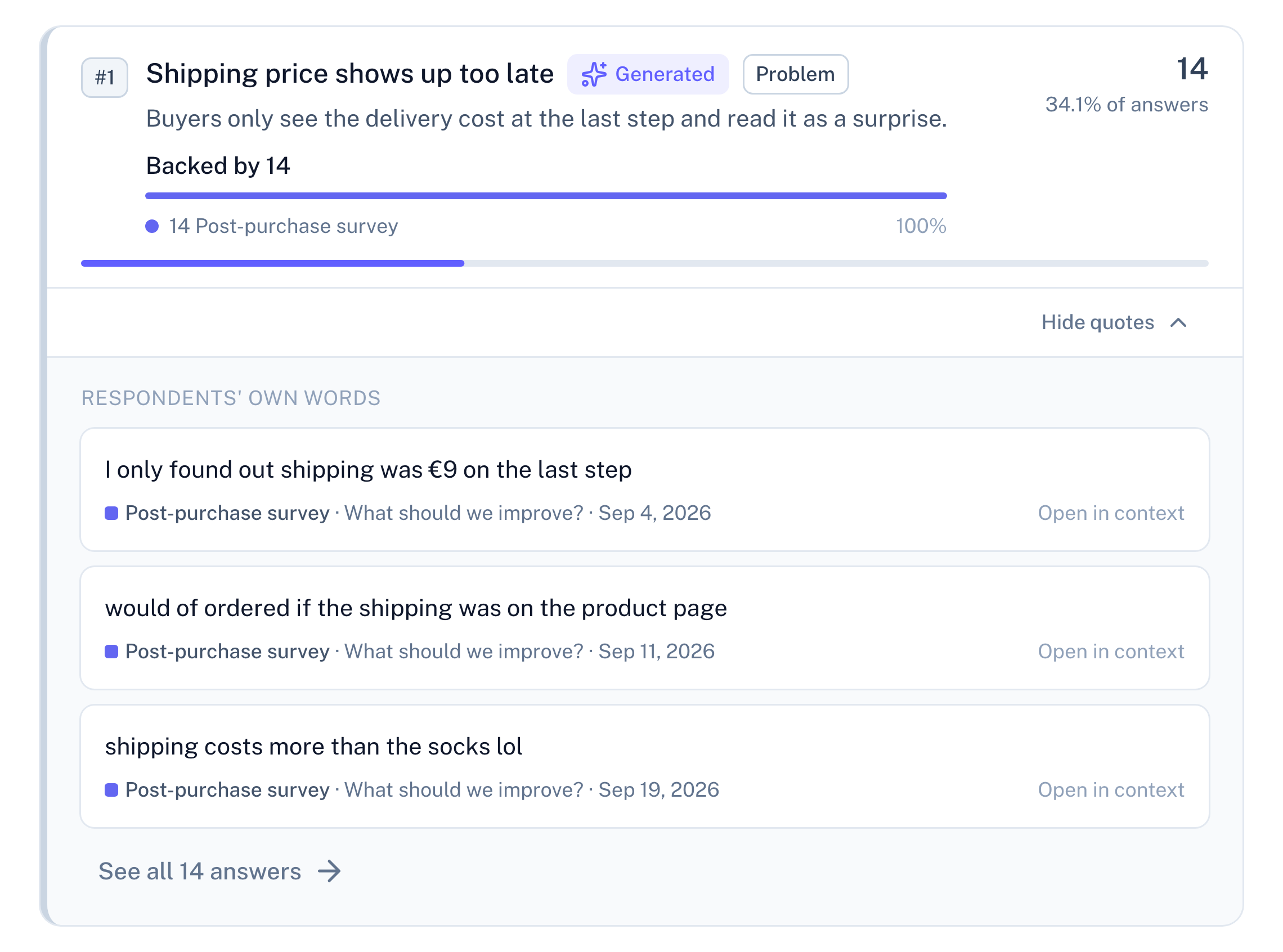
People open the cart and leave. Your analytics tell you how many. They don't tell you why.

What you ask

A small card in the corner of the cart page:

  1. One tap

    Anything stopping you from ordering today?

    • Shipping cost
    • Delivery time
    • Not sure about size
    • Still comparing
    • Something else
  2. Then, in their own words

    What would change your mind?

The card is there for everyone who opens the cart — it doesn't wait for someone to head for the close button.

What you get back

Panel screenshot: the insight "Shipping price shows up too late", labelled Generated and Problem, counted in 14 answers, opened into three verbatim quotes with their dates and a link to see all 14 answers
The returns page

See what makes people send it back

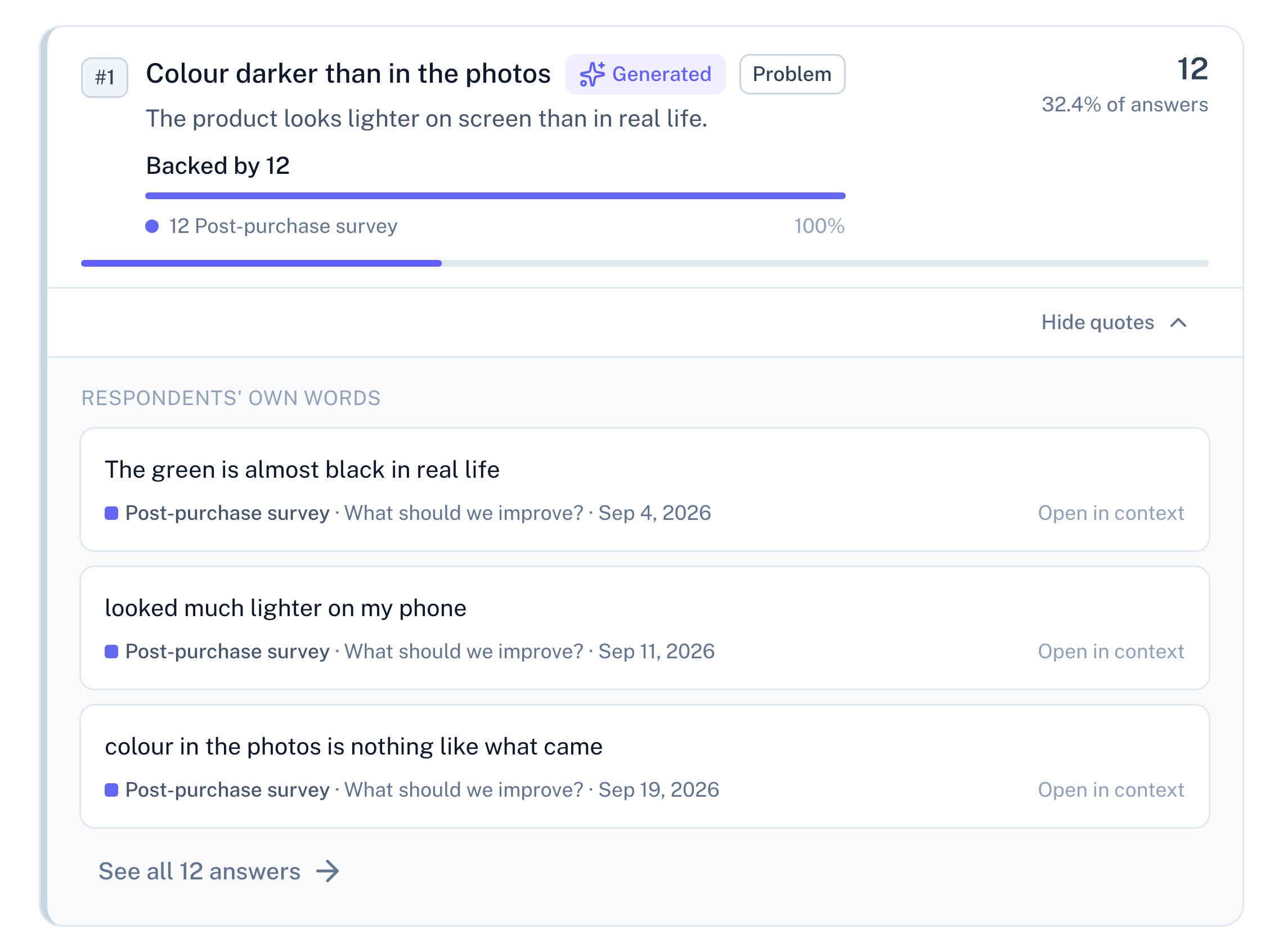
A return code tells you that something went wrong. It doesn't tell you what the customer expected instead.

What you ask

In the returns or exchange form page:

  1. One tap

    Main reason for the return?

    • Too small
    • Too big
    • Not as pictured
    • Arrived damaged
    • Changed my mind
    • Other
  2. Then

    What was different from what you expected?

What you get back

Panel screenshot: the insight "Colour darker than in the photos", labelled Generated and Problem, counted in 12 answers, opened into three verbatim quotes with their dates and a link to see all 12 answers

More pages worth asking on

The contact page

Every message you get is a question the site didn't answer.

Next to your contact form — "What's this about?" (Order status · Returns · Product question · Something else), then "What couldn't you find on the site?"

The home page

New visitors land on your home page. You know where they came from, not what they came for.

"What are you shopping for today?" (A gift · Something for me · Just looking · Something else), then "Anything in particular?"

One script tag per page. It shows up as a small card in the corner, or inside a spot on the page you choose.

Before the tenth response, we don't guess

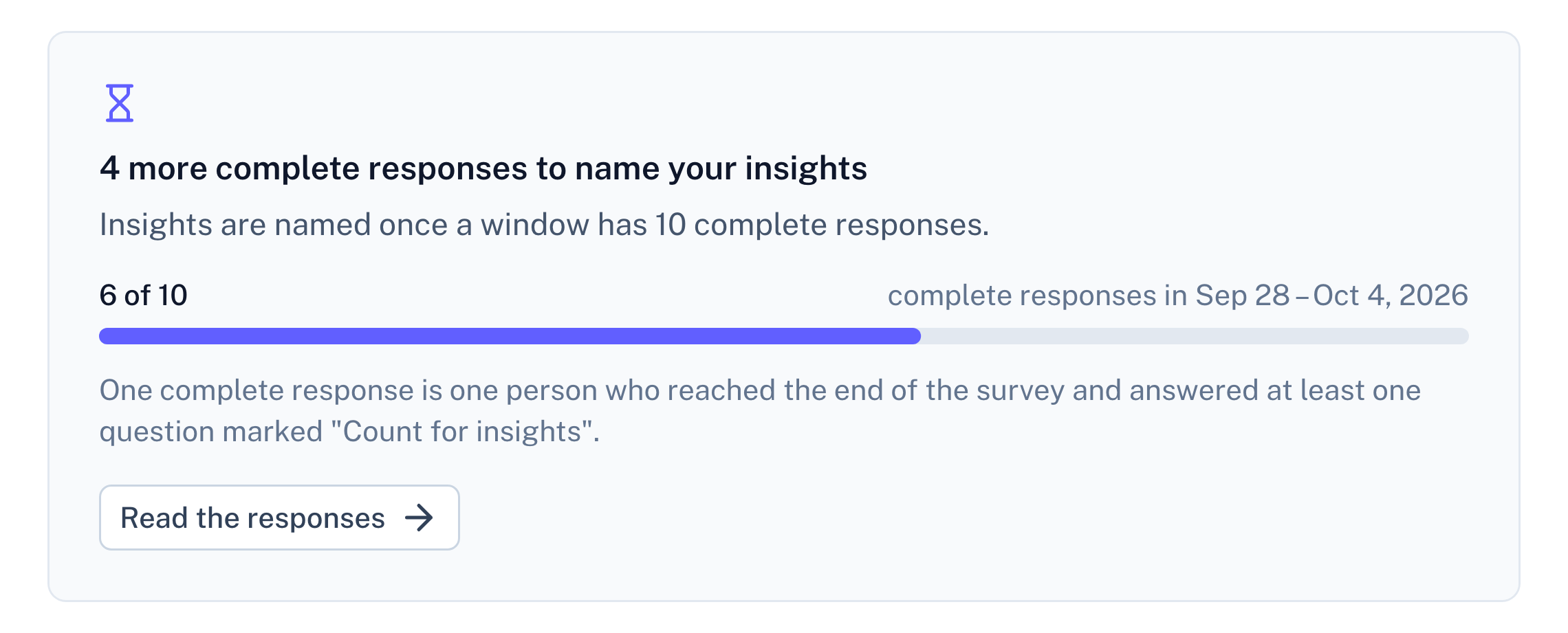
Your sign-up survey gets six complete responses in its first week. Six is not enough to call anything a pattern, so RawQuotes doesn't name an insight. The Insights page says what it has: 6 of 10 complete responses. 4 more to go. Meanwhile every answer is there to read in full.

Once there are enough, every insight has at least three quotes under it, copied character for character, typos included. Add a second survey or import a file into the same project, and everything counts together.

Panel screenshot: a refusal below the threshold of ten complete responses, titled "4 more complete responses to name your insights", with a progress bar at 6 of 10

Start where the feedback already is

Put the survey on one page, or import one file. Then read what people said, in their own words.